
We’re So Excited To Host You!
We hope you enjoy your stay and settle in comfortably. This welcome page is your go-to guide for the house, from quick “how-to” videos and safety notes, to Wi-Fi details, a curated list of local favorites, and check-out instructions. Take a moment to browse, then unplug, slow down, and let the desert work its magic. If you need anything during your stay, please message us.
Arrive & settle in.
Joshua Tree, CA 92252
Parking · Please keep parking to the driveway.
Please keep the Wi-Fi equipment plugged in and turned on, as required by the house rules.
About:
Check In Time: 4:00 PM | Check Out Time: 11:00 AM
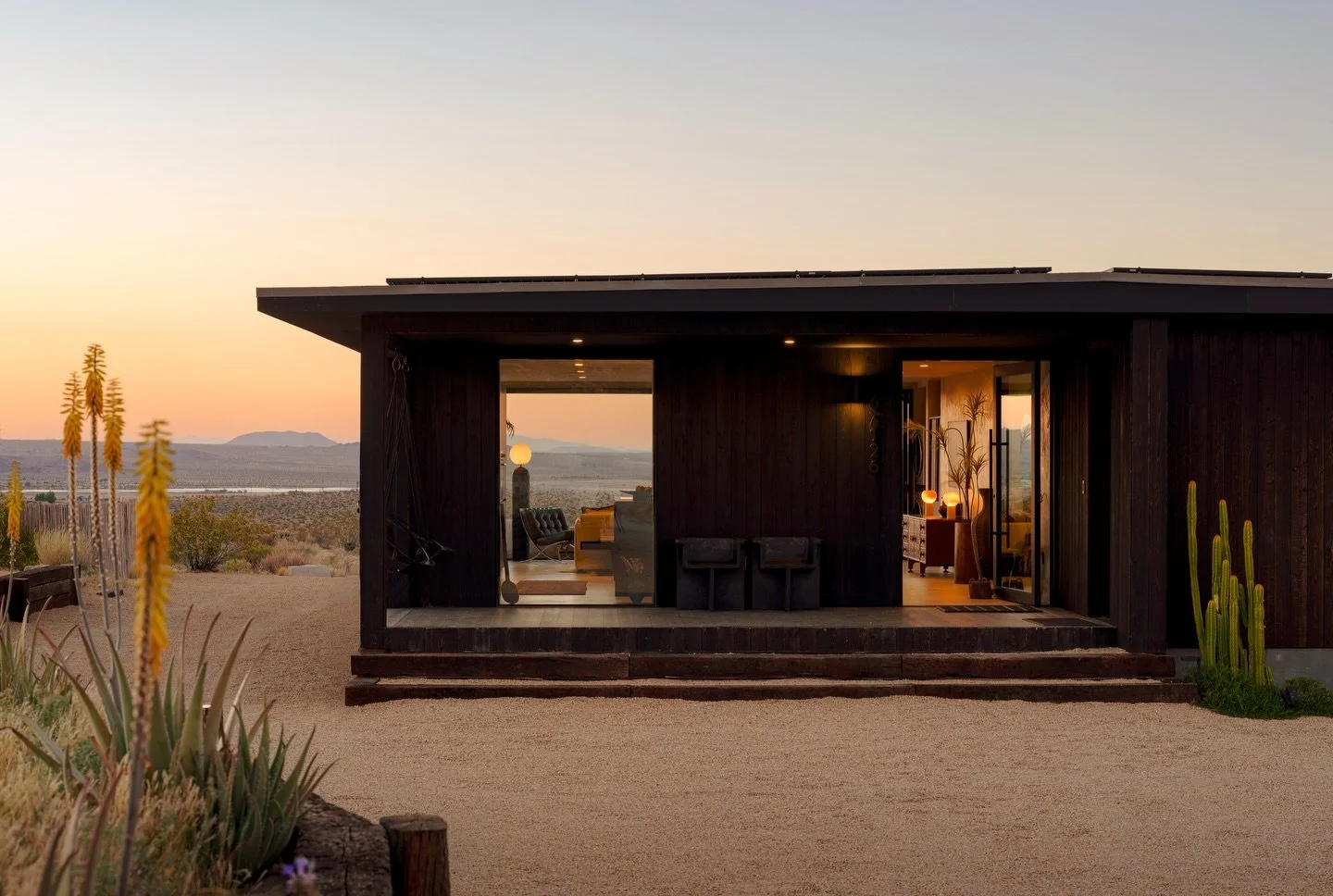
Address: 67126 Cottonwood Dr, Joshua Tree, CA 92252
Parking: Please keep parking to the driveway.
WIFI: Network: Hikari House | Password: Cottonwood
It is against our house rules to unplug or turn off.
How To Use Videos
For your safety please watch these brief videos before using any of the amenities at Hikari House. By staying at Hikari House you are agreeing to review the following instructions and rules before use.

Quick tips
- Make sure to open and close one panel at a time.
- Confirm the latches are fully seated when closed.
- Don't keep open in strong winds.

Note
For instructions on how to turn on, please skip to the 0:50 mark.
Quick tips
- Keep a safe perimeter around the flame.
- No roasting over fit pit
- Confirm the flame is fully off before leaving the area.

Note
For instructions on how to use, please skip to the 0:33 mark.
Quick tips
- Use induction compatible cookware only.
- Use down draft when cooking.
- Confirm the surface is cool before cleaning.

Quick tips
- Connect your phone to the Hikari House Wi-Fi.
- In Spotify, play your selected song and then look for the speaker icon in the bottom left corner, press this and select "Living Room".”
- In Apple,.
How To Use:
For your safety, please review and familiarize yourself with the following instructions prior to using any amenities at Hikari House. By staying at Hikari House, you acknowledge and agree to review and comply with these instructions and rules.
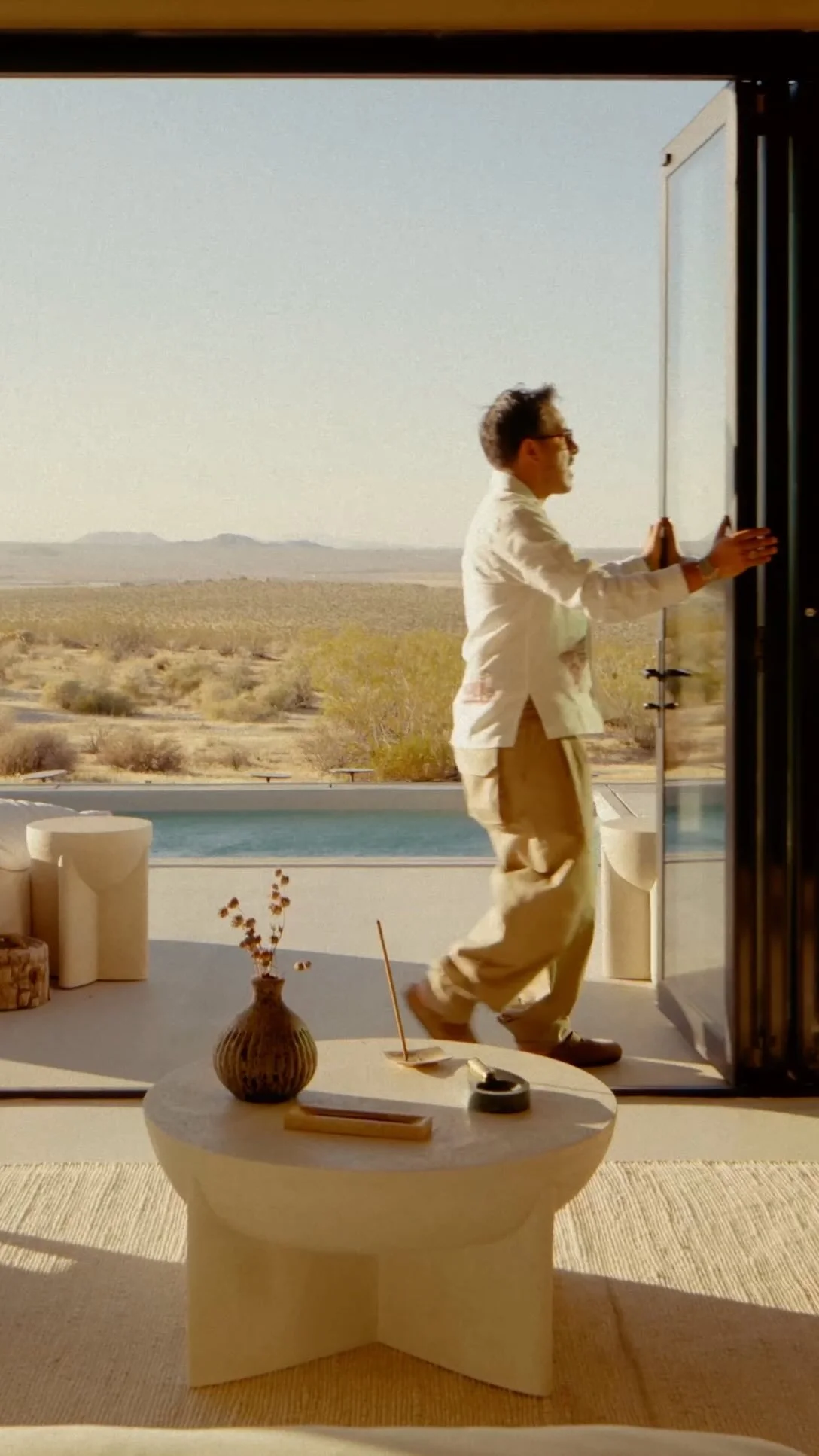
Opening & Closing Bi-Fold Door
-
Fist door all the way to the left opens like a normal door. Open this.
Once the first door is open, turn the lever on the next door panel counter clock wise. Push those doors open until you get to the next door panel.
Once at the next door panel repeat, going one door panel at a time until fully open.
Once you’re ready to close the bi-fold door, you’ll do the same going one door panel at a time, locking each panel by pulling the door towards you once in position and moving the lever clock wise. Repeat until the last door which locks by lifting the door handle up and turn the lock once in place.
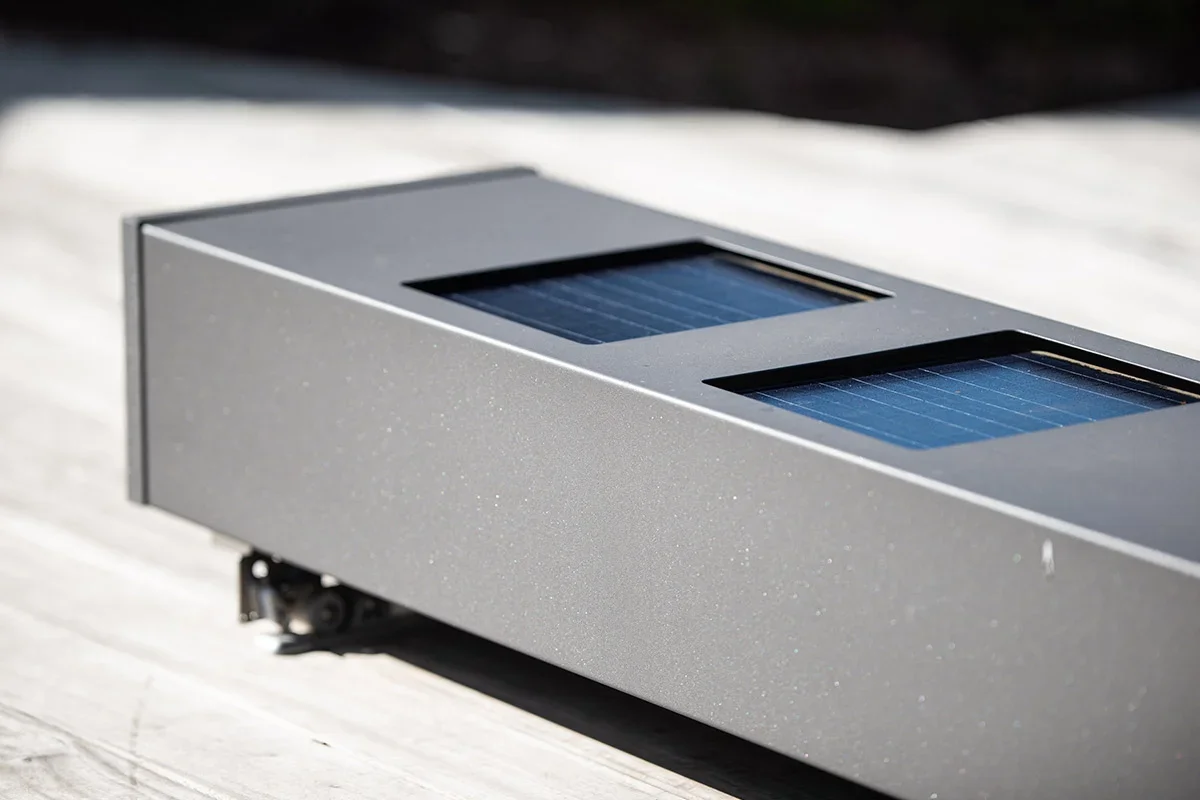
Pool Use \ Opening & Closing Automatic Pool Cover
-
The key for the pool cover is located on the wall to the left of the back bi-fold door. There a tan wall-mounted control with a threaded magnetic key is labeled OPEN and CLOSE.
To Open The Cover: Insert the magnetic key and hold it in the OPEN position until the cover is fully open.
To Close The Cover: Insert the key and hold it in the CLOSE position until the cover is fully closed.
In both cases, there may be a brief 1 to 2 second delay before the cover begins moving.
Please continue holding the key in place until the cover has completed its movement.
-
Clear the pool first: The pool must be completely empty of swimmers before operating the cover.
Remove all obstructions: Toys, floaters, ladders, and any other items must be cleared from the water and the cover’s path.
Fully open or fully close only: Always open or close the cover completely—never leave it partially open.
Operate responsibly: Only a responsible adult (18 years or older) may use the switch for the automatic covers.
DO NOT over-hold the switch: Do not hold the switch for more than 5 seconds once the cover is fully open or fully closed, as this can damage the system.
Keep it closed when not in use: Always close the cover fully when the pool is not in use.
-
Enjoy a refreshing dip in our large swimming pool with plenty of room for you and your traveling companions.
Pool heating is available for an additional fee. Please note in winter months pool will only be heated to 85.SAFETY NOTICE: For safety reasons, glass containers are strictly prohibited in the pool area. Any drinks brought to the pool must be in plastic containers.
NEVERWalk On The Cover: The pool cover main purpose is to provide a barrier agains unauthorized entry.
Remove Standing Water: Clear rainwater from the cover before operating. If needed, please call management at +1 (760) 624-8481 for immediate assistance.
The water chemistry is professionally tested and adjusted on a weekly basis. The hot tub is periodically drained and refilled to maintain optimal water quality. Routine servicing is performed by our team each week, unless otherwise specified.
We appreciate your understanding and cooperation in helping us maintain the pool quality and safety!
-
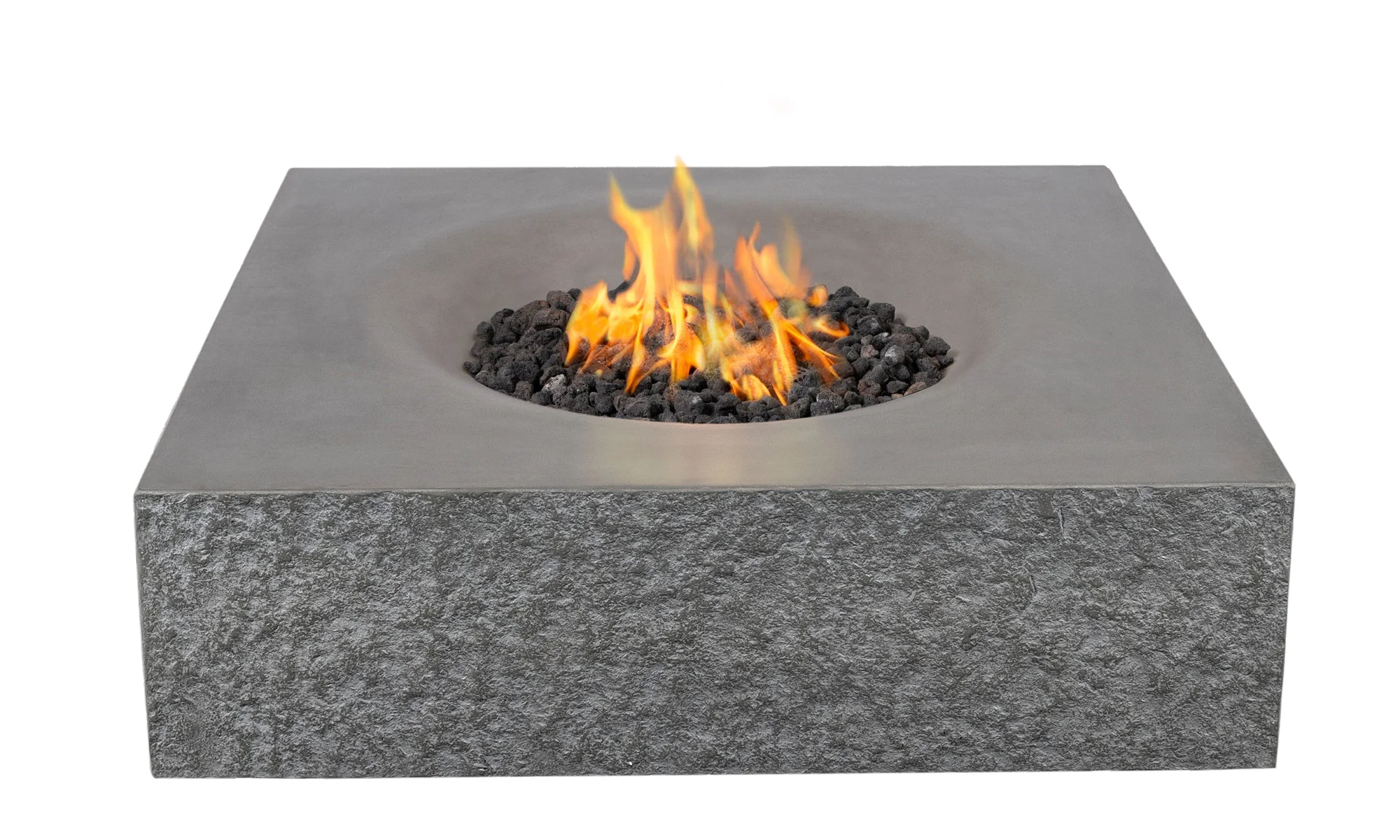
Make sure timer is turned on.
Red button has to be out.
Turn on low and hold it and press ignition.
Once flame is on, let go then turn on high.
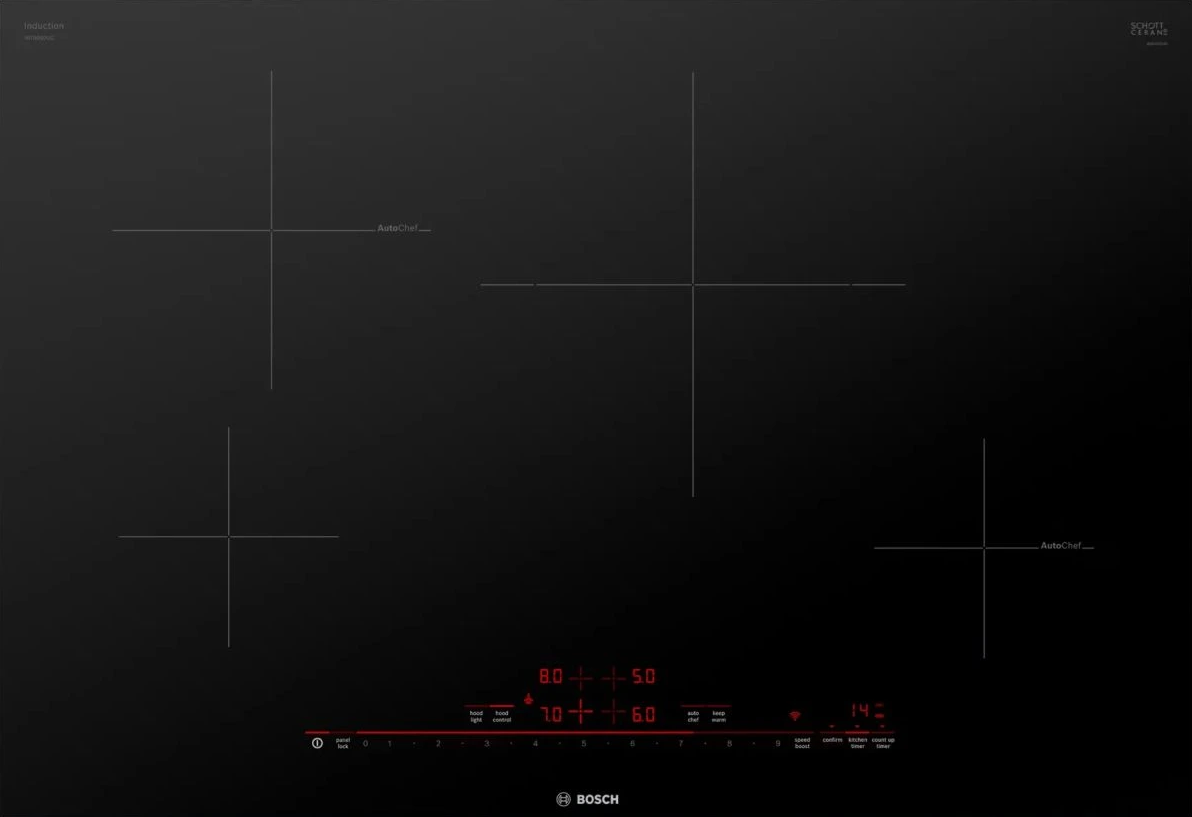
Using Induction Stovetop
Click The Link & Skip To 33 Second Mark For Instructions On How To Use.
-
Watch here for video instructions.
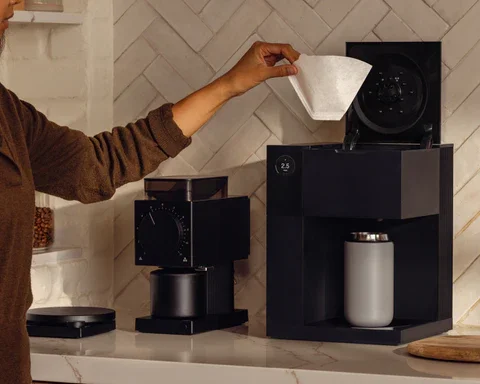
First, you’re going to want to add the amount of water you want to brew with to the removable tank (left side). For batch brew fill water tank.
Second, you’re going to want to open the top lid and add the correct basket and filter.
Batch Brew (use the Blue basket).
Single Brew (use the Green basket).Baskets & coffee filters can be found in the cupboard to the left of the coffee station.
With the top lid open set the shower head by turning to either Blue for Batch Brew or Green for Single Brew.
-
Watch here for video instructions.
Check that the grinder is empty
Lift the hopper lid and make sure there are no beans already inside.Add coffee beans to the hopper
Pour whole coffee beans directly into the top hopper. Do not overfill; only add what you plan to use.Set the grind size
Turn the dial on the front of the grinder:Medium settings work best for drip coffee and pour-over
Coarser settings are ideal for French press
4. Place your container under the chute
Position the Fellow container or a mug beneath the front spout to catch the ground coffee.5. Press the power button
Press the button once to start grinding. The grinder will automatically stop when finished.6.Use the knocker to release remaining grounds
After grinding, rotate the side knocker once or twice to clear any remaining grounds from inside.7. Remove grounds and enjoy
Carefully remove your container and use the freshly ground coffee right away for best flavor.8. Close the lid when finished
Replace the hopper lid and leave the grinder clean and ready for the next use.
Ode Coffee Grinder is jammed! What do I do? - Click here to learn more
-
-
Is The Fellow Ode Gen 2 Coffee Grinder Jammed & Not Working? Click here to learn how to un jam it.

Using LG Mini Split (AC/Heating)
Remote devices can be found in each bedroom &
living room. Please keep in respective rooms.
-
Point the remote at the indoor unit (line of sight matters).
Press POWER. Look for the green light on the unit to confirm it received the signal.
On very hot or cold days, the system may take a few minutes to begin blowing air.
Choose Your Mode:
Press MODE to cycle through options (you’ll typically use Cool or Heat):
Cool = (snowflake icon)
Heat = (sun icon)
Dry / Dehumidify = (droplet icon)
Fan = (fan icon)
Set The Temperature:
Use the Temp Up/Down buttons to set your preferred temperature.
Adjust Fan Speed and Airflow:
Use FAN SPEED to increase or decrease airflow.
Use SWING (if available) to adjust airflow direction.
Jet Mode = When pressed, system temporarily boosts cooling by directing maximum output to that indoor unit. Jet mode only lasts for approx 30 minutes. Must press again for another boost.
Important Note:Heating and cooling CANNOT run at the same time.
Every mini split in the home must be on the same heating/cooling setting for the mini splits. If this happens, the system will appear “stuck” and will not work until everything is aligned to the same mode.To Help In This Situation:
Press POWER to turn the unit off.
Wait 1 to 2 minutes.
Press POWER to turn it back on.
Press MODE to select the new mode.
If other mini-splits in the home are on, they will also need to be turned off briefly so the system can change over smoothly.

Connecting To Sonos Speakers
Note: Must be connected to Hikari House Wifi.
-
To connect to the Sonos system, ensure your phone is connected to the Hikari House Wi-Fi, then open your preferred music app and begin playing a song. Once the music is playing, tap the speaker or cast/AirPlay icon and select "Living Room" from the list of available devices to start streaming.

Using Bosch Dishwasher
Note: Our dishwasher is nearly silent — if you're not used to that, it can seem like it's not running. It is! Just check the display or listen closely for water.
-
Dishwasher pods are located underneath the sink.
Turning it on
Press the ON/OFF button on the control panel
It will default to the last cycle and options used.
Selecting a cycle
Press the button for the cycle you want: Intensive, Auto, Normal, Delicate, Express, Machine Care, or Favorite.
Starting the wash
Close the door within 4 seconds of pressing Start (a safety/anti-tamper feature — if the door isn't closed in time, it pauses)
Press the Start button
The display counts down the remaining time; it's done when it shows "0h:00m"
Turning it off
Just press ON/OFF — the appliance also auto-shuts-off 10 minutes after the cycle ends if you don't touch it
A few notes:
To pause mid-cycle: press On/Off, then press On/Off again and Start to resume
To cancel a cycle: open the door, hold the On/Off button ~4 seconds, close the door — it cancels after about a minute
House Rules | House Systems
-
FURNITURE: Please refrain from moving indoor furniture to the outside areas. If you choose to rearrange any furniture inside the house, we kindly ask that you return it to its original position before your departure. Our cleaning staff is unable to assist with moving heavy furniture.
FOLIAGE: The desert landscape is home to various species of cacti and trees, including the endangered Joshua tree. Please avoid touching or disturbing these unique plants. As cacti are abundant in the area, we recommend wearing closed-toe shoes when outside to protect yourself from thorns. In the event that you get a cactus thorn stuck in your skin, you are welcome to use the cactus kits provided in the house for safe removal.
SEPTIC NOTE: Please flush only septic-safe toilet paper. Do not flush wipes (even “flushable”), paper towels, feminine products, or anything else.
NO SMOKING INDOORS: If this rule is violated, you will be charged for a full professional cleaning/deodorizing service and assessed a $500 fine. If you choose to smoke outside, please dispose of all smoking materials properly, no cigarette butt littering. The desert environment and surrounding plants are extremely dry and can ignite easily. We take this very seriously and we ask you do the same to take extra care to prevent fire hazards.
-
ELECTRICAL: The main electrical panel is located on the right side of the house. If necessary, you can open the panel to check for a tripped breaker or to shut off power to the house in the event of an emergency.
FIRE EXTINGUISHERS: Fire extinguishers is located under the kitchen sink.
SEPTIC SYSTEM: The house is connected to a septic system, and it is important to use it responsibly.
To maintain the system’s function, please avoid disposing of the following in the toilets,
sinks, or garbage disposal:- Personal hygiene products or makeup wipes
- Baby wipes
-Eggshells
- Coffee grounds
-Bleach-based products
- Cooking oils, fats, or bacon grease
-
Standard Kitchen utensils are stored in the kitchen island. Open the top drawer, then pull out the upper hidden drawer just inside to reveal the full utensil set.
Long Handle Lighter
Measuring Cups
Measuring Spoons
Microwave
Mixing Bowls
Olive Oil
Oven Mitt
Paper Towels
Peeler
Pots and Pans
Salt and Pepper
Silverware
Spatulas
Spices
Strainers
Toaster
Trash Bags
Tupperware with Lids
Wine Opener
Aluminum Foil and Parchment Paper
Blender
Bottle Opener(s)
Bowls/Plates
Can Opener
Casserole Dish
Cheese Grater
Cocktail Shaker
Coffee
Coffee Maker and Coffee Mugs
Cookie Sheet
Cutting Boards
Dish Soap/Dishwasher Detergent
Drinking Glasses
Filtered Water
Grill Utensils
Hand Soap
The high desert is home to a variety of wildlife. If you remain still outdoors, you may encounter some of our local critters. Please keep doors and windows securely closed. Many guests come to the desert not expecting to encounter wildlife, so we want to ensure you’re prepared.
Most wildlife is harmless, but be aware of rattlesnakes, coyotes, and scorpions. Rattlesnakes are typically inactive from late fall to early spring, but during warmer weather, we recommend making some noise as you move around the property. This alert snakes to your presence, giving them a chance to retreat.
Wild Life:

IN THE EVENT THAT YOU
ENCOUNTER A RATTLE SNAKE
We have a local snake relocation expert who can safely remove it. She is highly skilled and available for this service, and we also have other resources if she is unavailable.
www.facebook.com/highdesertreptilerelocation
When You Depart:
Before Heading Out Please Review The Following Check Out Instructions
-
Personal Items: Please ensure that you remove all personal belongings from the house. Don't forget to check drawers in the bedrooms and bathroom, as well as under the beds. Should you leave any items behind, we charge a flat rate of $50 for shipping and handling.
Dishes: If you used the dishwasher, please load all dirty dishes and run the cycle before departing.
Appliances: Confirm that the stove is turned off and any other appliances you may have used are powered down.
Trash: If your trash exceeds the capacity of the indoor bins, please tie up the liner bags securely and place them in the outside bins. Ensure lids are securely closed so wildlife cannot get in.
Food: If you have extra food you won’t be taking with you and wish to avoid waste, our cleaning staff is happy to take any non-perishable items. Please be sure any perishable food is placed in the refrigerator for proper storage.
Towels: Pile all used towels on the floor beside the washing machine.
Beds & Bedding: Please leave any used beds visibly unmade and any extra blankets that were used left out and unfolded.
Lights & Electronics: Ensure all lights are turned off. Please also power down any audio/visual equipment and sign out of any streaming accounts (e.g., Netflix, Hulu, Prime, Sling, etc.) on the TV.
Locks & Doors: Lock all exterior doors and sliding glass doors before you leave. Please leave the gate open.
Feedback:If you notice anything that was not functioning properly or that requires attention, please inform us so we can address it.
Thank you for helping leave the property as close as possible to how you
found it upon arrival!


Listen In
Curated Playlists To Enrich Your Hikari House Experience
Discover a curated collection of playlists designed to invite you more deeply into the moment. From slow mornings and golden hour glow to late-night listening, each selection was chosen to complement the atmosphere of Hikari House and enrich the rhythm of your stay.
Come Wander With Us.
Favorite Restaurants
*
Favorite Restaurants *

We’ve rounded up some of the best local watering holes, grub spots, and desert actives in true desert style. Visit the link bellow for our tried-and-true favorites.
Additional Amenities
*
Additional Amenities *

Here you’ll find additional amenities (yoga, sound bath, photographers, etc).
GENERAL POLICIES
AND SAFETY:
You are responsible for supervising your group, especially children, at all times. By staying, you acknowledge these risks. The host is not liable for injuries, accidents, or losses related to your stay.
-
The number of individuals allowed on the property at any given time is limited to the number of renters specified in your reservation confirmation. Non-renting guests are not permitted.
If you wish to invite additional guests for drinks, dinner, or any other gathering, prior approval is required. No more than eight (8) vehicles are permitted on the property at any time without explicit permission. All vehicles must be parked in designated parking areas; parking alongside roads or driveways is not allowed.
Any deviation from these occupancy or parking requirements must be approved in advance.
Failure to adhere to these rules may result in the forfeiture of your deposit or cancellation of your reservation, which may lead to eviction. We plan for our cleaners, our neighbors, and our rates based on the number of guests, so these limits are strictly enforced.
-
We adhere to Airbnb's Strict Cancellation Policy:
Full Refund: Cancellations must be made within 48 hours of booking and at least 14 days before check-in.
50% Refund: Cancellations made 14 or more days before check-in but after the 48-hour window.
50% Refund: Cancellations made between 7 and 14 days before check-in.
No Refund: Cancellations made less than 7 days before check-in.
If, for any reason beyond our control, the house becomes unavailable, we reserve the right to cancel the rental agreement and will provide a full refund of all fees paid.
-
The use of the property’s internet access for illegal, abusive, or unethical activities is strictly prohibited. Specifically, the following are not allowed:
Sending unsolicited commercial or marketing materials (spam).
Using peer-to-peer networks to upload or download copyrighted intellectual property without the owner’s permission.
Distributing illegal or immoral content.
Using applications that may damage or disrupt the physical or logical structure of our equipment or network.
In the event of a breach of these terms or any illegal activity, the renter will be liable for damages and agrees to indemnify us from any third-party claims, including legal fees and costs incurred in resolving the matter.
Please note, we are not responsible for any damages incurred by renters while using the internet on their own devices. Renters are responsible for ensuring their own spyware/virus protection and data security.
-
For the safety of all guests, please be aware that the pool at Hikari House is 5.5 feet deep and no diving is allowed at any time. Diving may result in serious injury and or death. Any injuries sustained as a result of diving are the sole responsibility of the individual.
Children must be with an adult on both patios, including the pool and hanging chairs.